Clinic front desk SOP and daily checklist
Two pages that tell a new receptionist how the day runs and remind an experienced one what gets skipped when it is busy. Print one per day and sign it off.
Download
- Word · English.docx · 40 KB
- PDF · English.pdf · 281 KB
- Word · Arabic.docx · 40 KB
- PDF · Arabic.pdf · 94 KB
FreeNo sign-upDownloads directly
What is on the two pages
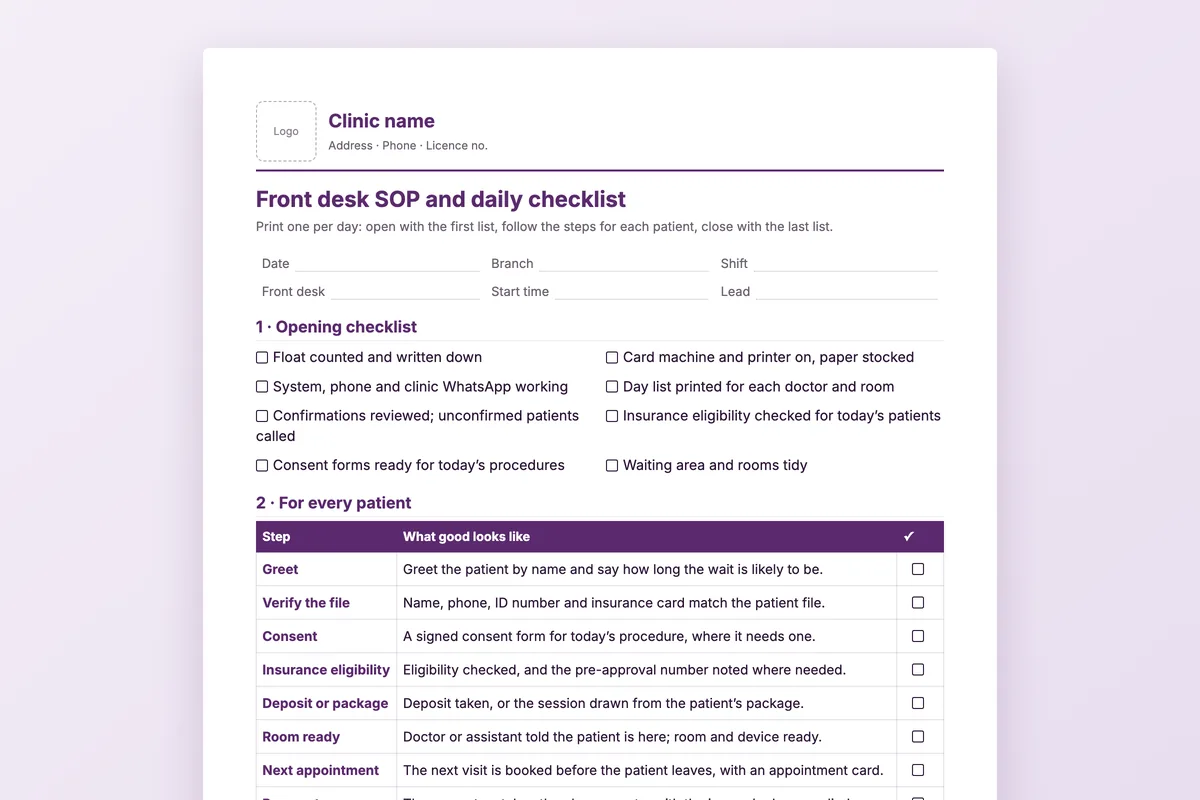
| Opening checklist | Float counted, card machine and printer, system and WhatsApp, day list printed, confirmations reviewed, insurance eligibility, consent forms, rooms. |
|---|---|
| For every patient | Ten steps with a tick each: greet, verify the file, consent, eligibility, deposit or package, room ready, next appointment, payment, invoice, review request. |
| Today in numbers | Booked, arrived, missed, walk-ins, next visit booked and reviews requested. |
| Closing checklist | Closing slip and cash difference, cash banked, tomorrow’s list, confirmations sent, balances reviewed. |
| When to escalate | Complaint, refund request, a package patient who misses a visit, an emergency, and insurance declined at the desk: what the desk does and who decides. |
How to use it
Adjust it to your clinic
Change the steps that differ for you, such as who handles refunds, before you print.
Print one per day
Keep a stack at the desk; each day’s sheet is the record of that day.
Tick as you go
The per-patient steps are a habit list, not paperwork: tick them for the first weeks, then spot-check.
Sign it off
The person closing signs, the lead reviews, and differences in cash get a reason the same day.
Who it is for
Clinic managers training front desk staff, and clinics opening a new branch that want every desk to work the same way.
Questions
Is ten steps per patient too many?
Most take seconds. They are written down because the ones that get skipped, such as booking the next visit, are the ones that cost the most.
Who decides on refunds?
Not the front desk. The sheet says to write the request down and pass it on, so money never leaves the till without a decision.
What if the cash does not match?
Write the difference and the reason on the sheet the same day. A small difference explained is better than a large one found a month later.
Can I use it for several branches?
Yes. Print it per branch and per shift; the branch and shift are at the top of the page.
The checklist the system keeps
In Medicolize the day list, confirmations, eligibility, balances owed and the closing slip come from the system itself, so the desk works from one screen. Thirty minutes on your own clinic.