Multi-branch groups

Multi-branch clinic management

The second branch is where most clinic software stops working. Stock, cash, staff and permissions all become per-branch questions, while the patient stubbornly remains one person who expects either location to know who they are.

Per branch where it matters, shared where it helps

Stock, treasury, rotas, permissions and pricing are per branch. The patient record, the history and the balance are not — a patient who moves between branches is still one patient with one file.
  • One patient record across every location
  • A patient seen at two branches with one balance, not two
  • Transfers of care that keep the history intact
  • Group-wide search, so duplicates cannot hide in another branch
  • Consent and documents that travel with the patient
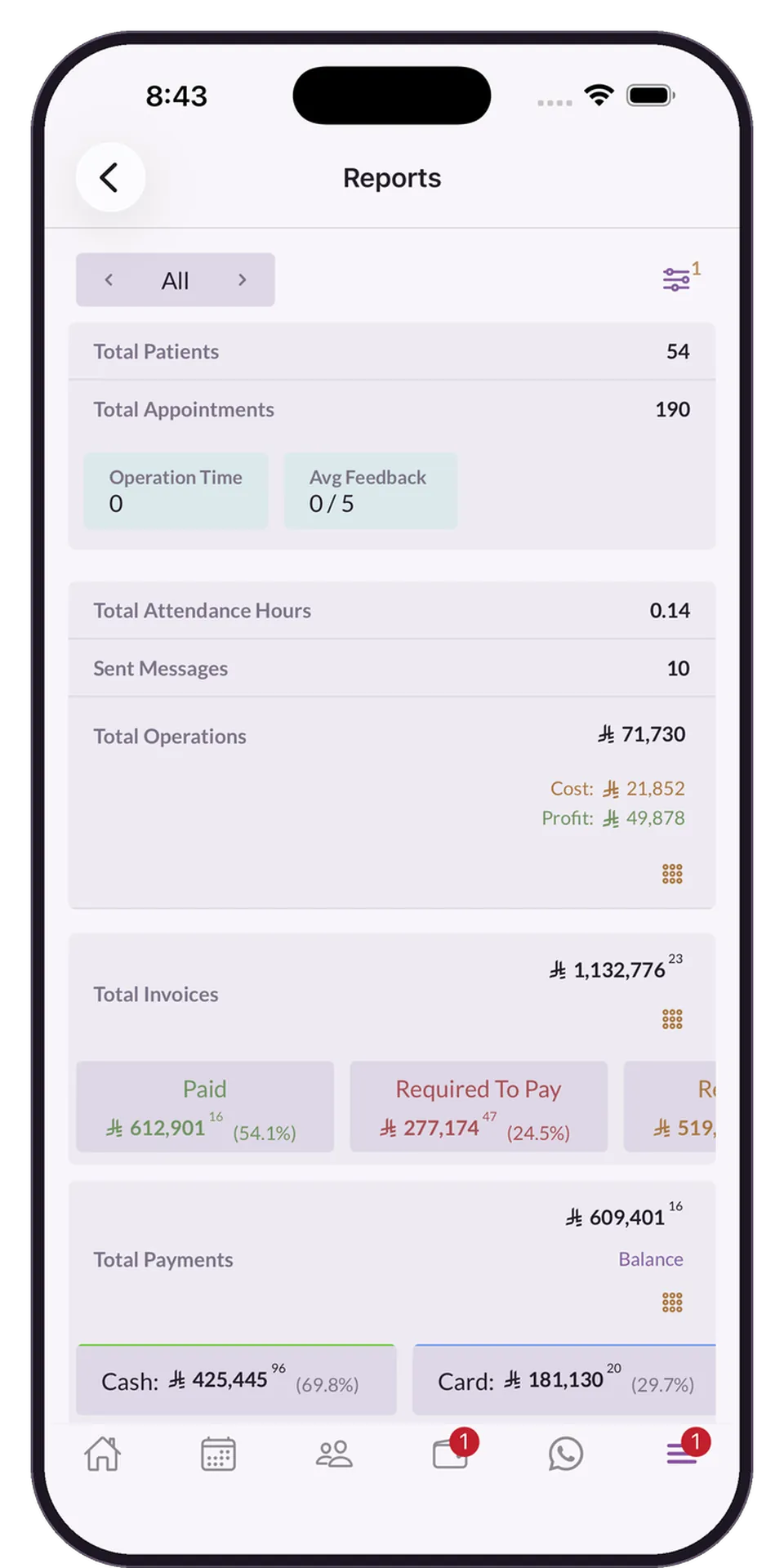
The Medicolize period report: patients, appointments, attendance hours and what was invoiced against collected

Comparison on identical measures

Branches are only comparable if the numbers are built the same way. Utilisation, margin, collection rate and completion are computed identically, so a difference is a real difference.
  • Treasury, stock and expenses held per branch
  • Stock transfers recorded with both sides
  • Branch performance compared on the same definitions
  • Overheads allocated rather than absorbed centrally
  • A branch having a bad quarter visible before the quarter ends
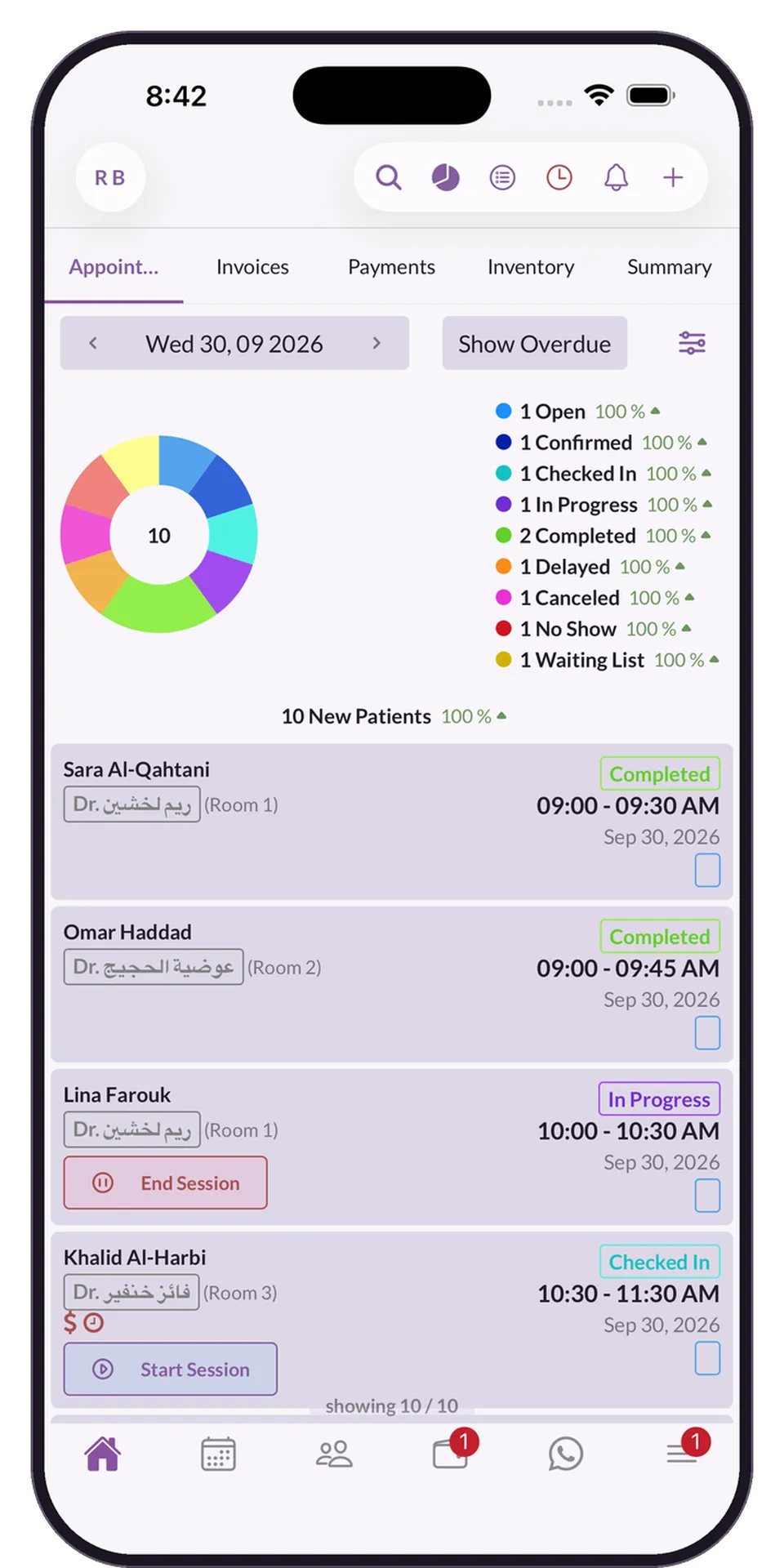
A day of appointments in the Medicolize app, with every status on one ring

A manager sees their branch, an owner sees all of them

Branch managers should not be reading each other’s figures, and owners should not be assembling a group view by hand.

  • A manager who sees their branch and nothing else
  • Owners who see every branch at once
  • Price lists, forms and rotas set per branch
  • Numbering, currency and tax defaults per branch
  • One account, so none of this needs reconciling
Note templates and forms

Two accounts versus one group

Running branches as separate installations makes the patient two patients and the reporting two reports.

The way it is done now

  • A patient per branch
  • Stock moved and adjusted
  • Branch reports assembled
  • Managers seeing everything
  • Prices drifting by location

With Medicolize

  • One patient across the group
  • Transfers with both sides recorded
  • Per branch and consolidated, from one dataset
  • Each manager sees their own branch
  • Set per branch, deliberately

What matters most here

Inventory

Separate stock, with transfers recorded as movements

Staff

Roles, rotas and commission per branch

Explore the features

Questions

Multi-branch groups — frequently asked

Is there an extra charge per branch?

Branches are part of the account rather than separate subscriptions. The commercial detail depends on size, and we will be specific in the demo.

Can branches be in different countries?

Yes, with their own currency, tax rules and invoicing requirements, while still rolling up into one group view.

Can a patient be treated at more than one branch?

Yes, on the same record. That is usually the reason a group wants one system in the first place.

See it on your own clinic

Half an hour on your own services, packages and price list. Someone calls you back within a day.

Book a demo WhatsApp