Doctor share statement template
The month-end sum that causes the most arguments, worked out from the services each doctor actually delivered. Rates per service group, discounts split by who decided them, and a statement ready to sign.
Download
FreeNo sign-upDownloads directlyExcel and Google Sheets
Rather fill it in on screen? Doctor share calculator
What is inside
| Settings | Doctors with their agreement (% of net, % of gross, or fixed plus %), a default rate and a different rate per service group where it applies, your services and prices, and whether lab fees and refunds come off before the share. |
|---|---|
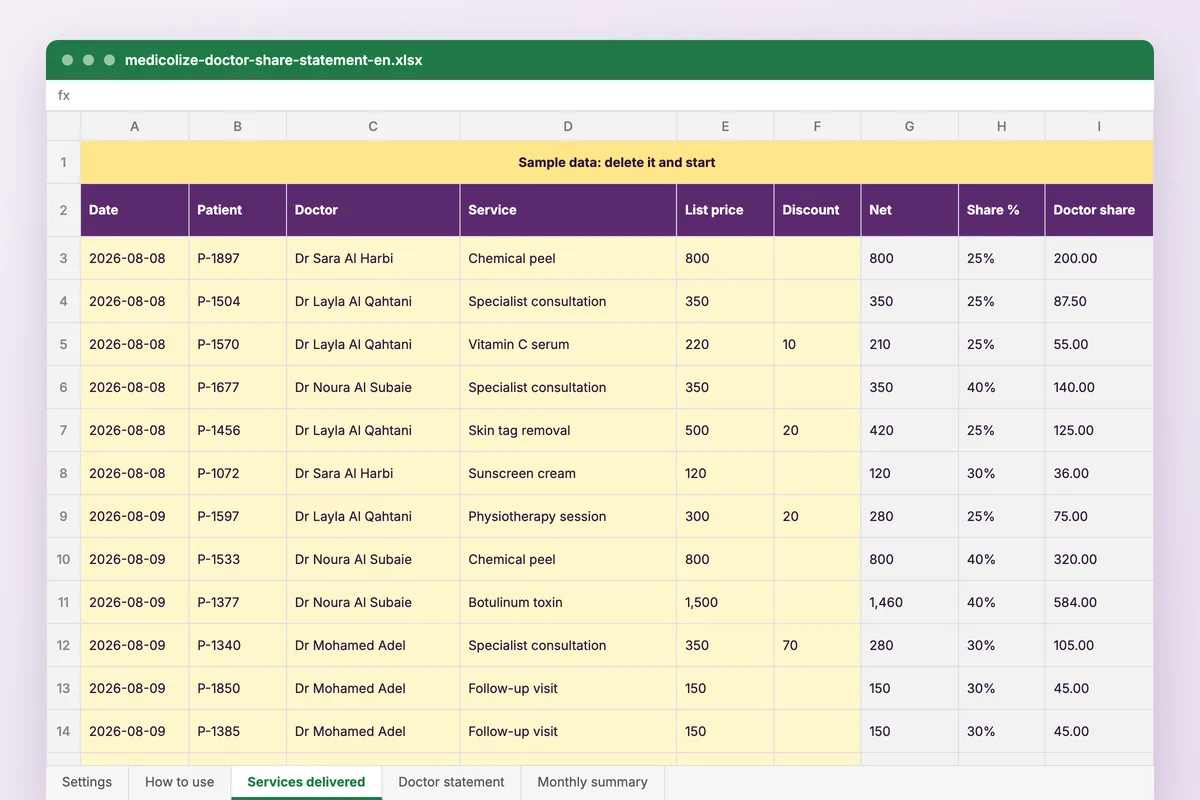
| Services delivered | One row per service: date, patient code, doctor, service, list price, discount, who decided it, lab fee and refund. Net, share base, rate and share are worked out. |
| Doctor statement | Pick a doctor and a month: totals by service group, the deductions, the fixed amount and what is due, on one page with signature lines. |
| Monthly summary | Doctors against months: share, share of revenue, and discounts the clinic carried. A month where a share rose while revenue fell is coloured. |
How to use it
Set the agreements
Each doctor, their agreement and rate, and any group with its own rate.
Record the services
One row per service delivered, with the discount and who decided it.
Print the statement
Choose the doctor and the month; the statement fills itself.
Read the summary
Compare the doctors month by month and look at the coloured cells.
Who it is for
Clinic owners and accountants who pay doctors a percentage and want one sheet both sides agree on before the money moves. It opens on a sample clinic of six doctors over two months; one of them gives discounts the clinic ends up carrying, and the summary shows what that costs.
Read next
Payroll
Salaries and doctor commissions calculated from the sessions actually delivered and the money actually collected, with the deductions shown…
Read more From the blogDoctor commissions without the monthly argument
The dispute is never whether to pay. It is which number to pay on, and that is a record problem long before it is a payroll one.
Read moreMore free files
Questions
Does it work in Google Sheets?
Yes. Upload it to Google Drive and open it with Google Sheets. It uses SUMIFS, INDEX and MATCH, which both handle.
Can a doctor have different rates for different services?
Yes. Each doctor has a default rate and an optional rate per service group: consultations, sessions, procedures and products.
Who carries a discount?
Each discount records who decided it. A doctor’s discount comes off their share base, a clinic discount does not, and a shared one is split in half.
Is my data stored anywhere?
No. The file is yours, on your computer or your own Drive. Nothing you type reaches Medicolize.
Shares worked out from the visit itself
Medicolize calculates every doctor’s share from the services, discounts and lab fees recorded at the visit, and the statement is ready on the last day of the month.