SOAP note template
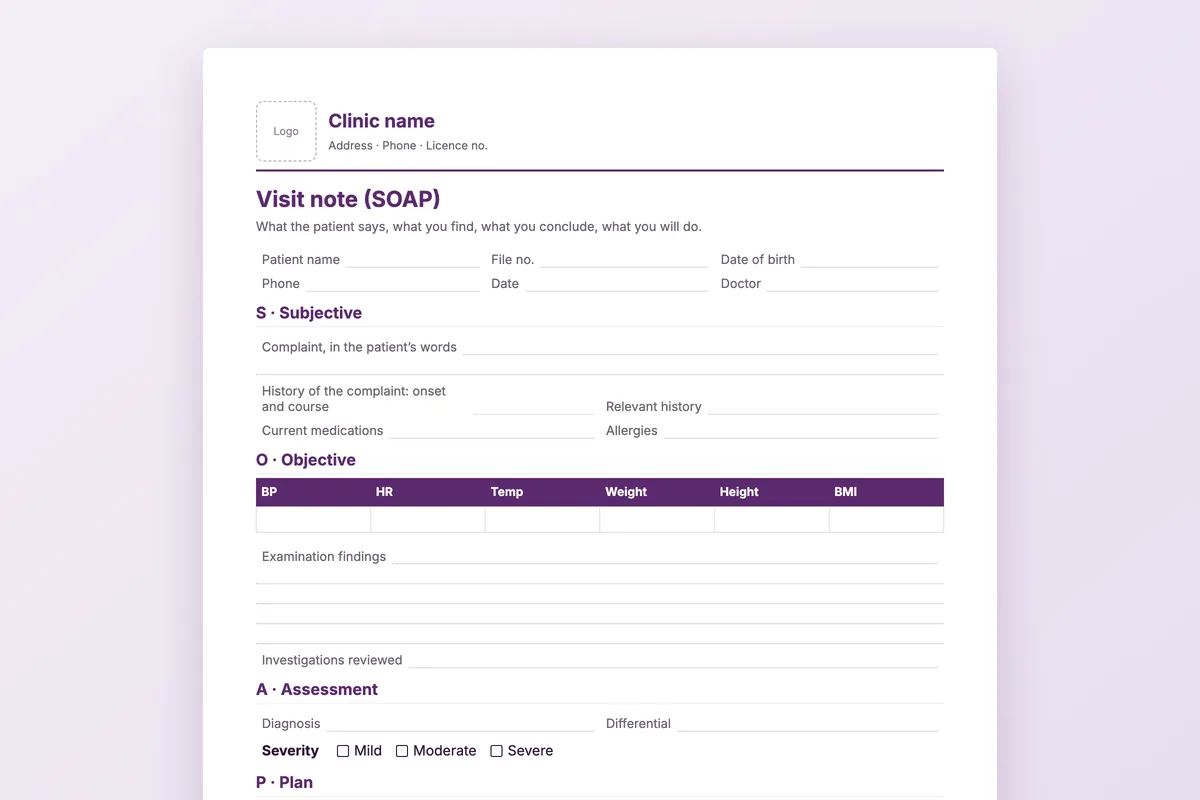
A visit note on one page in the order doctors think: what the patient says, what you find, what you conclude and what you will do. With a vitals table and room to write.
Download
- Word · English.docx · 38 KB
- PDF · English.pdf · 168 KB
- Word · Arabic.docx · 38 KB
- PDF · Arabic.pdf · 52 KB
FreeNo sign-upDownloads directly
What is on the page
| Header | Your letterhead block, then the patient: name, file number, date of birth, phone, date and doctor. |
|---|---|
| S · Subjective | The complaint in the patient’s words, its history, relevant history, current medications and allergies. |
| O · Objective | A vitals table (blood pressure, pulse, temperature, weight, height, BMI), examination findings and investigations reviewed. |
| A · Assessment | Diagnosis, differential and severity. |
| P · Plan | Treatment, prescription reference, investigations ordered, referral, what was explained to the patient and the follow-up date, then the doctor’s signature and stamp. |
How to use it
Add your letterhead
Open the Word file and put your logo and clinic details in the header box.
Print a stack
Print the PDF or your edited Word file for each clinic room.
Write in order
S, O, A, P: the order keeps the note quick to read for whoever sees the patient next.
File it
Keep it in the patient’s paper file, or scan it to their record.
Who it is for
General practice, family medicine and any specialty that writes a short note per visit and does not have it in a system yet. The Arabic file runs right to left with Arabic headings; the English file is the same page in English.
Read next
Patient record
One medical record per patient: history, diagnoses, prescriptions, images and every visit in order. Medicolize keeps the clinical file and…
Read more From the blogWhat an electronic medical records system has to do
Storing notes is the easy part. The test of an EMR is whether the invoice, the claim and the recall all read from the same file.
Read moreMore free files
Questions
What does SOAP stand for?
Subjective, Objective, Assessment and Plan: what the patient reports, what you observe and measure, what you conclude, and what happens next.
Can I change the fields?
Yes. The Word file is fully editable: add a section, remove one, or rename the headings to match how your clinic works.
Is it one page?
Yes, on A4. If you add sections in Word it will run onto a second page.
Is there a version for specialties?
Yes: physiotherapy assessment, dermatology treatment record, nutrition follow-up and mental health session notes are separate documents.
Notes that stay with the patient
In Medicolize the visit note is written on the patient file, next to their history, prescriptions and results. Thirty minutes on your own clinic.