Patient intake and medical history form
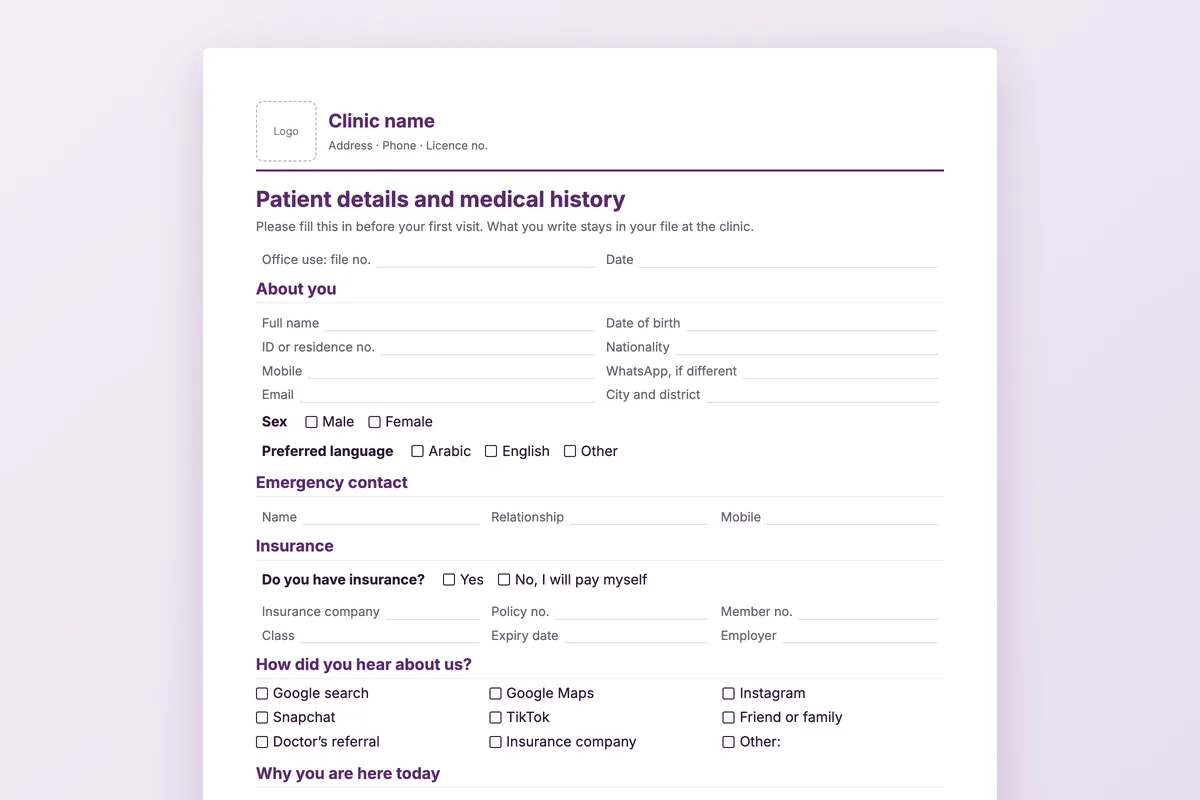
Two pages the patient fills in at reception before their first visit. Written for patients, in plain words, with tick boxes wherever a tick will do.
Download
- Word · English.docx · 39 KB
- PDF · English.pdf · 265 KB
- Word · Arabic.docx · 39 KB
- PDF · Arabic.pdf · 92 KB
FreeNo sign-upDownloads directly
Rather fill it in on screen? Patient intake form
What is on the two pages
| About you | Name, date of birth, ID or residence number, nationality, mobile and WhatsApp, email, city, sex and preferred language, and an emergency contact. |
|---|---|
| Insurance | Company, policy and member number, class, expiry date and employer, or a tick for paying themselves. |
| How they heard of you | Google search and Maps, Instagram, Snapchat, TikTok, friends, a doctor’s referral or the insurer. |
| History | Today’s complaint, chronic conditions, previous surgery, current medicines, allergies (medicines, food, latex, other) with the reaction, family history, smoking and alcohol, and pregnancy or breastfeeding for women. |
| Consent and signature | Separate ticks for contact by WhatsApp and by SMS, a short privacy notice and the patient’s or guardian’s signature. |
How to use it
Add your letterhead
Open the Word file and put your logo and clinic details in the header box.
Hand it over at reception
Give it with a clipboard while the patient waits. It takes a few minutes.
Check it before the visit
Reception checks the insurance details; the doctor reads the allergies and medicines.
Open the file
Enter the details into the patient’s file and keep the signed form.
Who it is for
Any clinic that registers new patients: general and family medicine, dental, dermatology, physiotherapy and multi-specialty centres. The Arabic and English files are the same form, so patients can choose.
Questions
Why ask how they heard about you?
So you know which channel brings patients. Count the ticks each month and you have a simple marketing report.
Why separate WhatsApp and SMS consent?
Some patients are happy with one and not the other. Separate ticks make the patient’s choice clear and easy to respect.
Is the privacy wording legally sufficient?
It is a short, plain notice. Have it reviewed against the data protection rules that apply to your clinic.
Can I remove sections?
Yes. The Word file is fully editable; a clinic that does not take insurance can delete that section.
Registration without retyping
In Medicolize the patient’s details, insurance and history go straight onto the patient file, and their contact consent is recorded with them. Thirty minutes on your own clinic.